Your free studio memory, inside your DAW.
MixMemora helps producers capture notes, mix decisions, references, and project files directly inside their workflow, with cloud sharing when collaboration matters.
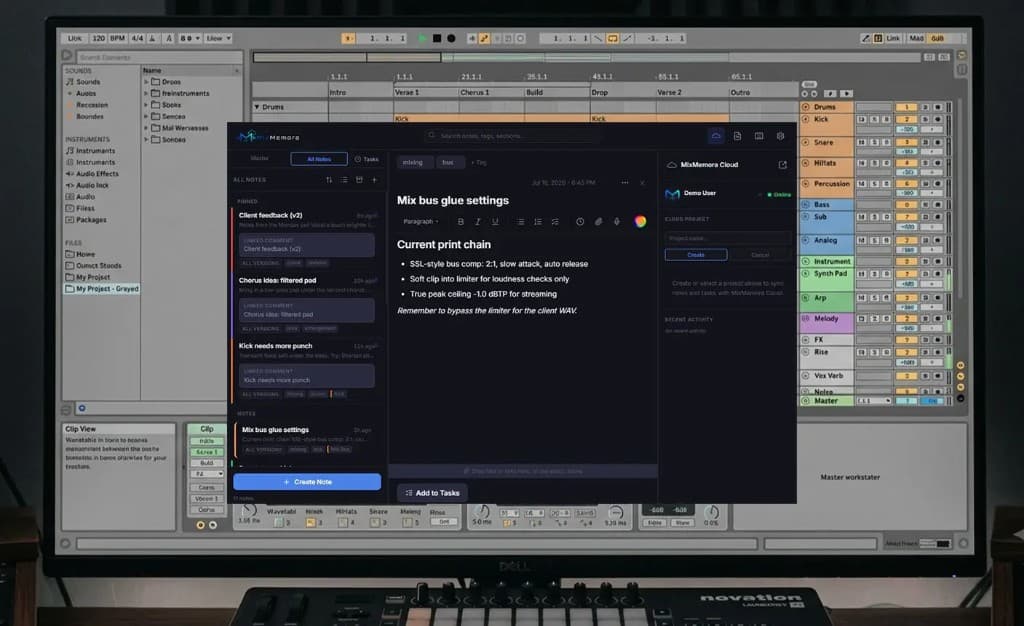
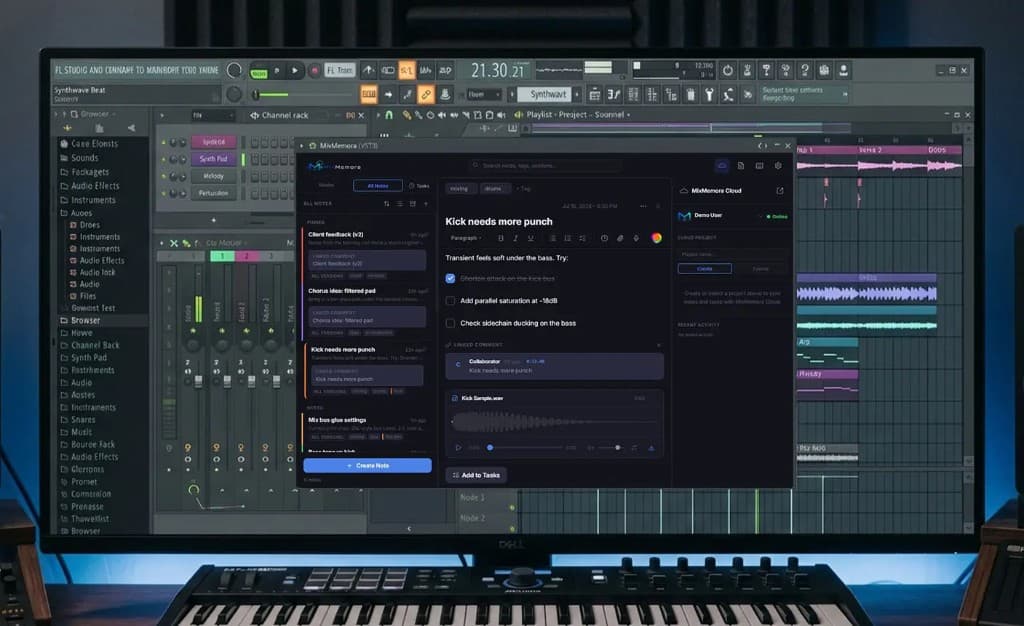
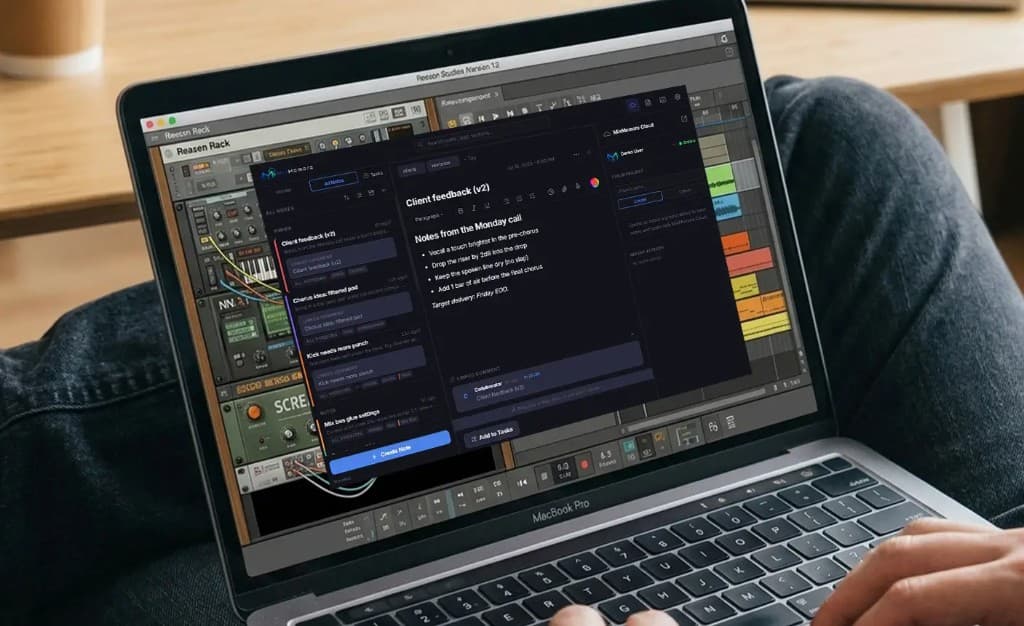
Built for Producers
Rich Notes
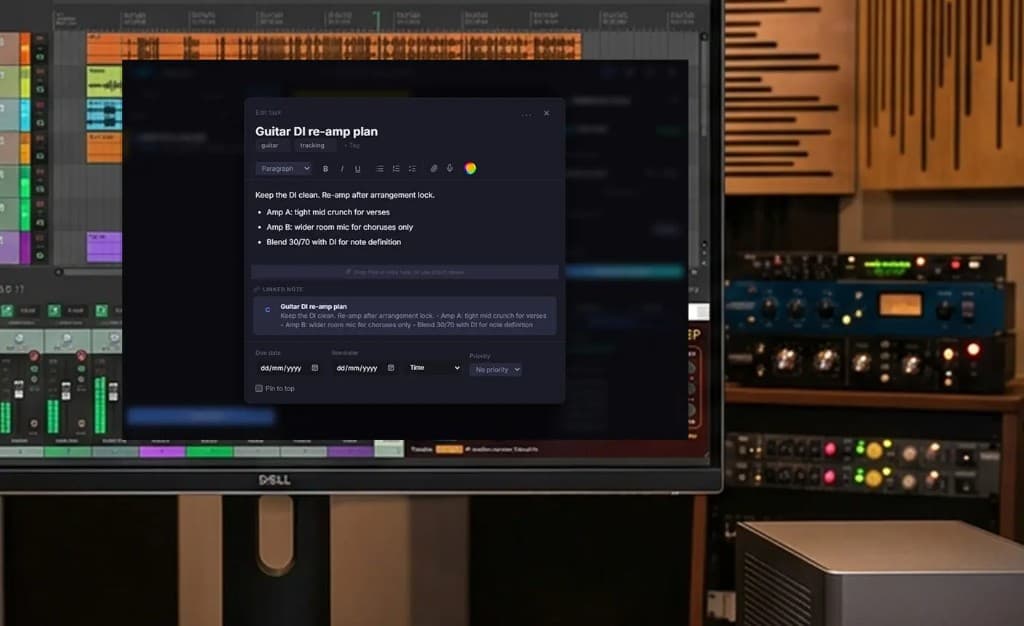
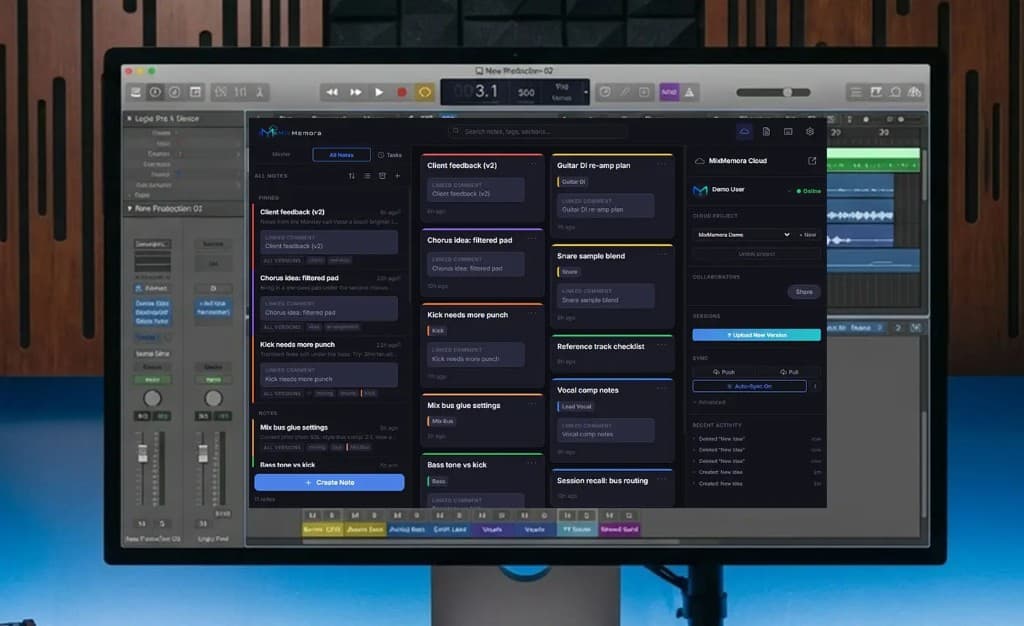
Capture mix ideas with headings, checklists, and formatting without leaving your DAW. Colour-coded tags like Idea, Mixing, and Fix keep the board scannable.
Audio on Every Note
Attach samples and bounces, preview waveforms in-plugin, and drag audio straight back into your session when inspiration hits.
Channel Notes
Link notes to specific DAW channels so each track keeps its own context, or keep shared ideas in All Notes for the whole project.
Tasks That Stick
Turn any note into a linked task, set priorities, and track what still needs fixing. Your to-do list lives with the session.
Producer Templates
Jump in with Mix Notes, Session Log, Track Checklist, Client Feedback, and more, or save your own templates for every session type.
Find Anything
Search notes, tags, and sections across the whole project from inside the plugin. That EQ recall is always one search away.
Session Memory
Notes save into your DAW project file. Close the session, reopen tomorrow, and everything is exactly where you left it. No account needed to start.
Cloud Sync
Sign in with a free account to sync notes and tasks, upload mix versions, and open the same project on the web at mixmemora.com/cloud.
Collaborate on Mixes
With an account, invite collaborators as View, Reviewer, Editor, or Admin so feedback and mix versions stay in one shared project.
See it in Action
Watch a virtual session, then take over anytime. Create notes and try the same plugin UI before you download.
Same UI as the free VST3. Keyboard shortcuts and real file attachments work in the VST, not this browser sandbox. Cloud sign-in opens MixMemora Cloud.
Simple, Transparent Pricing
Lossless audio streaming on every paid plan. No compression, no compromise.
Save over 30% on all plans when paid annually
Collaborate on other people's projects and use the plugin offline.
- ✓MixMemora VST plugin (offline)
- ✓View & comment on shared projects
- ✓Unlimited collaboration as guest
- -Create cloud projects
- -Cloud storage
- -Plugin cloud sync
Billed annually
For producers who want cloud collaboration and lossless streaming.
- ✓Everything in Free
- ✓Create & share projects
- ✓5 GB lossless cloud storage
- ✓WAV / FLAC / AIFF uploads
- ✓Plugin cloud sync
- ✓File sharing
Billed annually
For working producers and small studios who need room to grow.
- ✓Everything in Starter
- ✓30 GB lossless cloud storage
- ✓Up to 10 unique collaborators (account-wide)
- ✓20 version history per track
- ✓Shareable project links
- ✓Priority support
Billed annually
For studios and power users. No limits, no compromises.
- ✓Everything in Pro
- ✓Unlimited lossless storage*
- ✓Unlimited collaborators
- ✓Unlimited version history
- ✓Custom branding on shared links
- ✓Dedicated support
All paid plans include lossless WAV/FLAC streaming - zero compression, unlike SoundCloud.
Save over 30% on all plans when paid annually. Prices shown are the monthly equivalent when billed annually.
* Storage capped at 1TB by default. Contact support to get more than 1TB storage.
Get MixMemora
Free forever. No account required. No license keys. Just install and start producing.
System Requirements
- OS: Windows 10 or later (64-bit), or macOS 12+ (Intel & Apple Silicon)
- Host: VST3-compatible DAW (FL Studio, Ableton Live, Reaper, Cubase, Studio One, Bitwig, Reason, etc.)
- Space: 15 MB disk space
- Network: Internet connection for initial WebView2 Runtime setup on Windows (one-time, automatic)
- Open the installer, follow the prompts, then rescan VST3 plugins in your DAW.